


View Transfer from GEO5 programs
In all GEO5 programs, it is possible to change drawing settings on the desktop. Some information can sometimes be missing (additional descriptions, distances, other structures...). In this case, it is possible to use the "Annotations" feature.
If we want to further work with views (e.g., export or print to scale, add additional objects, tables, etc.), they can be copied into the Drawing Editor and then modified. The transfer will be demonstrated using the Sheeting Check program, but the process is similar for other programs.
1) In any GEO5 program, click to copy the current view to the Drawing Editor:
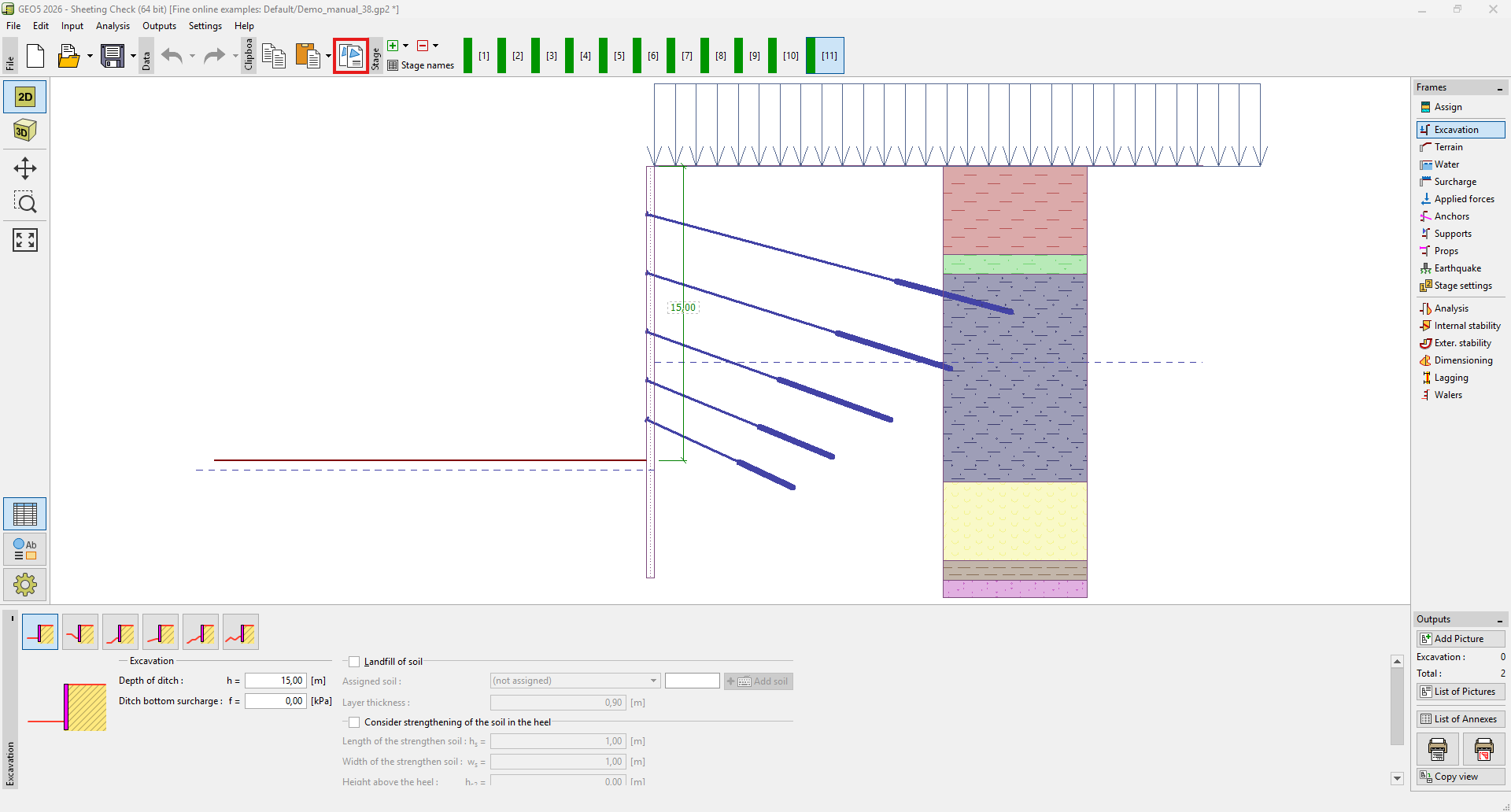 Copy from the Sheeting Check program
2) Open the Drawing Editor and paste the view from the clipboard:
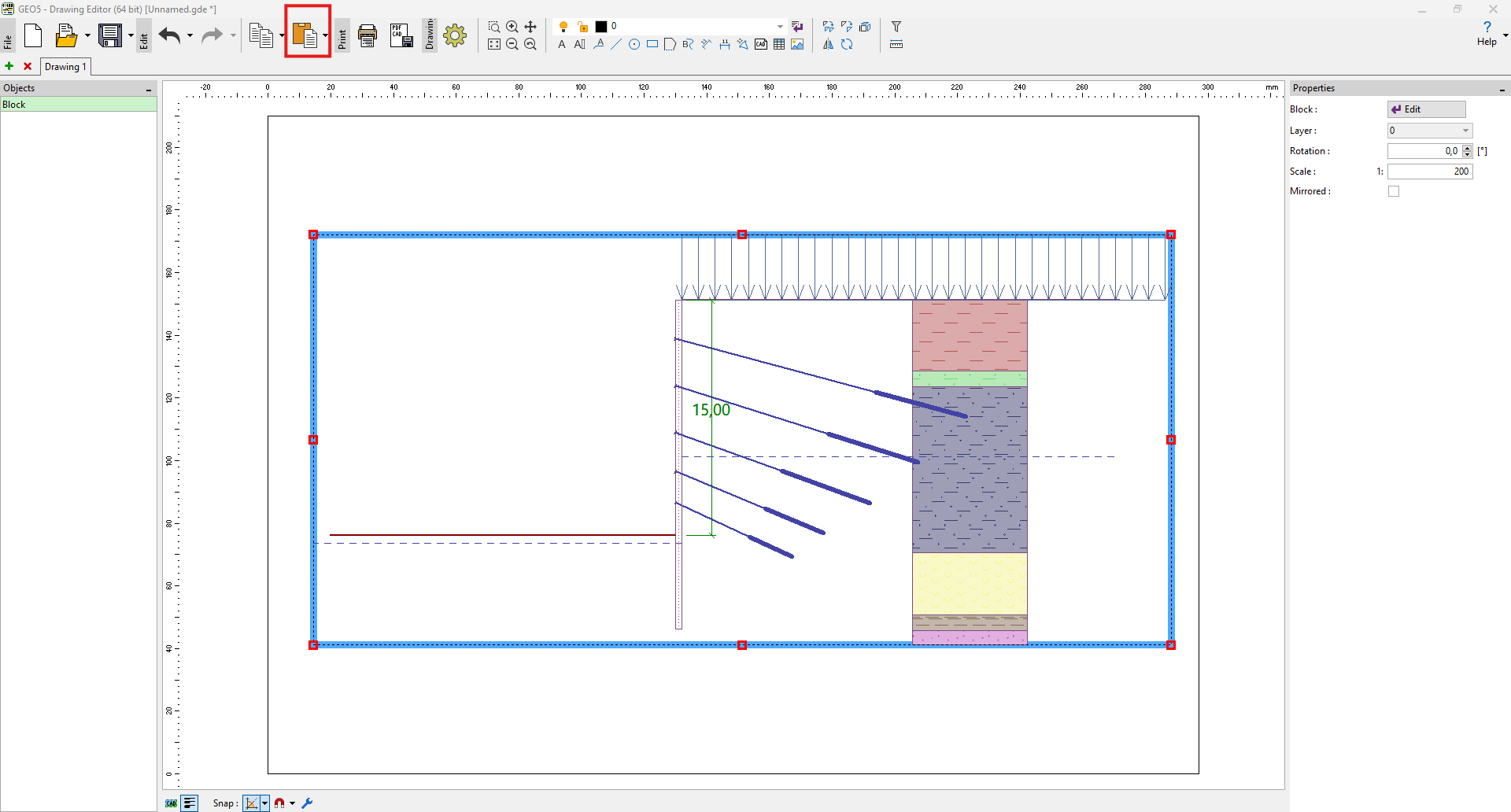 Inserting into the Drawing Editor
The view is inserted as a block – when you double-click it, a window opens where you can change the insertion parameters - select only certain layers, create a section, toggle line thickness or hatch display, and so on.
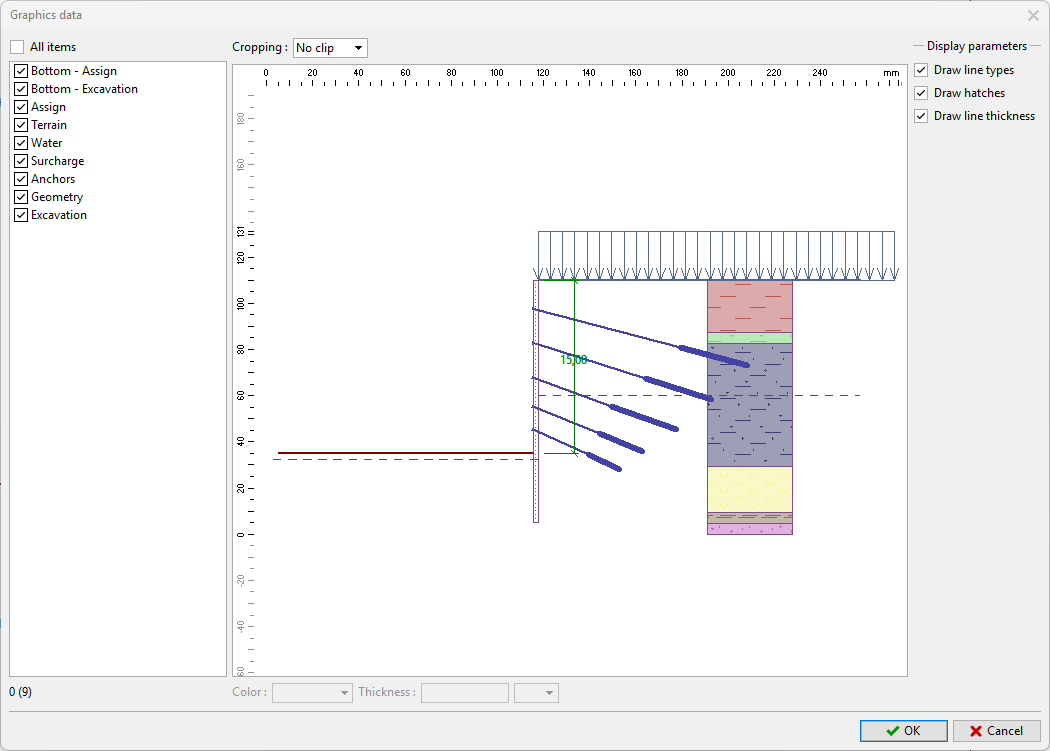 Inserted block settings
The scale of the inserted object or its explosion into individual objects can be adjusted from the context menu (displayed by right-clicking).
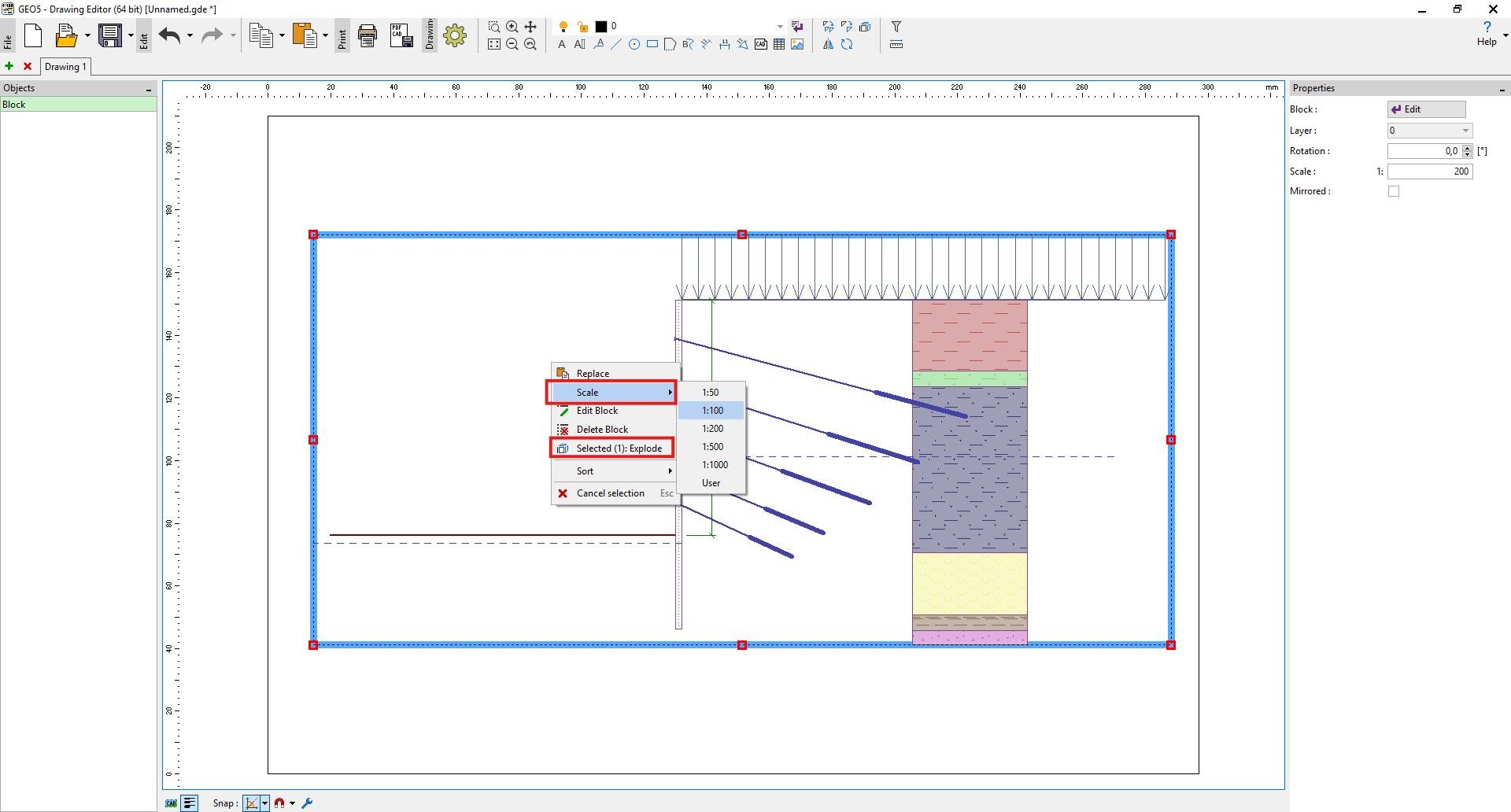 Scale settings or block explosion into objects