


Visualization
Buttons on the toolbar allow the user to change the setting of visualization on the desktop. The toolbar has a different appearance in 2D and 3D mode. The toolbar contains the following buttons:
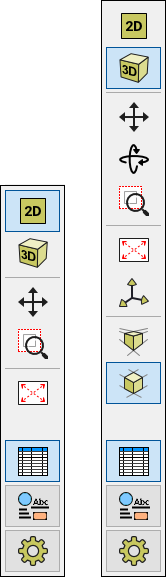 Toolbar "Visualization" - toolbar appearance in 2D and 3D mode
Functions of individual buttons are the following:
| 2D view |
|
| 3D view |
|
| Move the displayed area |
|
| Rotates the scene |
|
| Shows the marked area |
|
| Modify the scale |
|
| Pre-defined 3D view |
|
| 2D view |
|
| Perspective view |
|
| Axonometric view |
|
| Modes |
|
| Annotations |
|
| Drawing Settings |
|


